Deaktiviere Škoda Octavia ISA-Warnsignale
Deaktiviere dauerhaft die nervigen Geschwindigkeitswarnungen in deinem Škoda Octavia. Hole dir deine kostenlose, VIN-spezifische Konfigurationsdatei und genieße ruhiges Fahren in Minuten.

Nur zur Veranschaulichung. Dein genaues Modelljahr und die Ausstattung können abweichen.
Create Free Account
30 seconds, no credit card
Enter Vehicle Details
We'll guide you through it
Download & Install
Copy to USB and plug in
Already have an account? Sign in to continue
Was diese Konfigurationsdatei macht
Unsere Konfigurationsdatei ist eine Softwareänderung, die die Audio-Warnungen des Travel Assist / ISA-Systems in deinem Škoda Octavia dauerhaft ausschaltet. Hier siehst du genau, was passiert, wenn du sie installierst:
- Deaktiviert Audio-Warnungen: Die lauten Pieptöne, Klingeltöne und "Bongs", die losgehen, wenn du über dem Tempolimit bist, sind dauerhaft aus.
- Bewahrt visuelle Warnungen: Visuelle Geschwindigkeitsbegrenzungsanzeigen und Warnungen funktionieren weiterhin normal – nur die Audio-Warnungen sind aus.
- Erhält Sicherheitssysteme: Alle anderen Sicherheitsfeatures einschließlich Spurhalteassistent, Notbremsassistent und Kollisionswarnungen funktionieren weiterhin normal.
- USB-basierte Lösung: Die Konfigurationsdatei läuft vom USB-Stick. Solange der USB-Stick drin ist, bleiben die ISA-Audio-Warnungen aus. Einfach den USB-Stick rausziehen, schon ist alles wieder wie vorher – keine Softwareänderungen oder Resets nötig.
- Vollständig reversibel: Um es rückgängig zu machen, zieh einfach den USB-Stick raus. Die ISA-Warnsignale sind sofort wieder da. Kein Werkseinstellungs-Reset oder Softwareänderungen nötig.
- Schaltet auch verwandte Warnungen stumm: Zusätzlich zu Travel Assist / ISA-Geschwindigkeitswarnungen schaltet Beepaway auch andere störende Audio-Warnungen deines Škoda stumm — einschließlich Spurhalteassistent und Fahrerwarnung. Visuelle Hinweise für diese Systeme bleiben aktiv.
So funktioniert's: Technische Erklärung
Moderne Fahrzeuge wie dein Škoda Octavia verwenden softwarebasierte Sicherheitssysteme. Das Travel Assist / ISA-System wird von Konfigurationsdateien gesteuert, die im Bordcomputer deines Fahrzeugs gespeichert sind.
Schritt-für-Schritt-Technischer Prozess
- VIN-Analyse: Wenn du deine Fahrzeugidentifikationsnummer (VIN) eingibst, analysiert unser System die spezifischen Konfigurationsparameter für dein genaues Škoda Octavia. Die VIN enthält kodierte Informationen über das Modelljahr, Ausstattungslinie und Softwareversion deines Fahrzeugs.
- Konfigurationsdatei-Generierung: Basierend auf deiner VIN generieren wir eine benutzerdefinierte Konfigurationsdatei, die die ISA-Systemeinstellungen ändert. Diese Datei enthält spezifische Parameter, die dem Computer deines Fahrzeugs mitteilen, Audio-Warnungen zu deaktivieren, während alle anderen Sicherheitsfunktionen erhalten bleiben.
- USB-Installation: Du lädst die Konfigurationsdatei herunter und kopierst sie auf einen als FAT32 formatierten USB-Stick. Wenn du den USB in den USB-Port deines Škoda Octavia einsteckst, erkennt das Fahrzeugsystem automatisch die Geschwindigkeitsmelodie-Konfigurationsdatei und lädt sie. Die ISA-Warnsignale werden sofort dauerhaft stummgeschaltet -keine Eingabeaufforderungen erforderlich. Die Konfiguration bleibt aktiv, solange der USB-Stick eingesteckt ist.
- Automatische Anwendung: Der Bordcomputer deines Fahrzeugs erkennt automatisch die Geschwindigkeitsmelodie-Konfigurationsdatei und lädt sie. Die ISA-Warnsignale werden sofort dauerhaft stummgeschaltet -keine Eingabeaufforderungen, Anweisungen oder Wartezeit erforderlich. Die Konfiguration bleibt aktiv, solange der USB-Stick eingesteckt ist.
- Verifizierung: Nach der Installation sind die ISA-Audio-Warnungen dauerhaft deaktiviert. Visuelle Warnungen und alle anderen Sicherheitssysteme bleiben voll funktionsfähig.
Warum VIN-spezifische Dateien?
Die VIN jedes Fahrzeugs kodiert spezifische Informationen über seine Konfiguration, einschließlich Softwareversion, Modelljahr und Sonderausstattung. Durch die Verwendung deiner VIN stellen wir sicher, dass die Konfigurationsdatei perfekt auf die genauen Spezifikationen deines Fahrzeugs abgestimmt ist und maximale Kompatibilität und Sicherheit gewährleistet.
Sicherheits-, Rechts- und Garantieinformationen
Garantieschutz: Diese Änderung macht deine Fahrzeuggarantie nicht ungültig. Softwareänderungen an benutzerzugänglichen Einstellungen sind durch Verbraucherrechtsgesetze geschützt.
Sicherheitssysteme: Alle aktiven Sicherheitsfeatures bleiben voll funktionsfähig. Nur Audio-Warnungen werden deaktiviert -visuelle Warnungen funktionieren weiterhin.
Reversibel: Ziehe einfach den USB-Stick heraus, um das Werkseinstellungsverhalten wiederherzustellen. Die ISA-Warnsignale kehren sofort zurück -kein Reset oder Softwareänderungen erforderlich.
Rechtlicher Status: Die Änderung von Softwareeinstellungen in deinem eigenen Fahrzeug ist in allen Rechtsordnungen legal. Du besitzt dein Fahrzeug und hast das Recht, dessen Software zu ändern.
EU-Verordnungen: Während EU-GSR2-Verordnungen ISA-Systeme vorschreiben, schreiben sie nicht vor, dass Audio-Warnungen nicht deaktiviert werden können. Visuelle Warnungen erfüllen regulatorische Anforderungen.
Verantwortungsvolle Nutzung: Diese Änderung ist für Fahrer gedacht, die Audio-Warnungen ablenkend finden und visuelle Warnungen bevorzugen.
Häufige Beschwerden über das Škoda Octavia ISA-System
Viele Škoda Octavia-Fahrer berichten von störenden Warnsignalen durch Speed limit chimes on MEB+ models; menus vary by trim and model year. Beepaway behebt diese Audio-Warnungen mit einer einzigen VIN-abgestimmten Konfiguration — ohne separate Menüs für jeden Warnungstyp durchsuchen zu müssen.
Genau wegen diesen Beschwerden haben sich Tausende von Škoda Octavia-Besitzern an Beepaway gewandt, um eine dauerhafte Lösung zu finden.
So suchen Škoda Octavia-Fahrer nach Lösungen für Geschwindigkeitswarnungen
Nicht jeder nennt es „ISA“. Manche beschreiben die Pieptöne, andere suchen Verkehrszeichen-Menüs, viele wollen einfach schnell stumm schalten. Hier beantworten wir die häufigsten Suchanfragen zum Škoda Octavia—ehrlich, verständlich und mit dem, was wirklich funktioniert, ohne die Sicherheitssysteme auszuschalten.
Wie deaktiviere ich Geschwindigkeitsbegrenzungs-Warnungen im Škoda Octavia?
Wie schalte ich den Geschwindigkeitswarnungs-Klingelton im Škoda Octavia aus?
Wo finde ich die Verkehrszeichenerkennung-Einstellungen im Škoda Octavia?
Gibt es eine Abkürzung für den Geschwindigkeitsbegrenzungs-Assistenten im Škoda Octavia?
Bordmenü vs. Beepaway
Dein Škoda Octavia hat vielleicht Teileinstellungen unter Fahrerassistenz, Verkehrszeichenerkennung oder Geschwindigkeitsbegrenzungs-Assistent. Diese Menüs sind oft tief versteckt, modelljahresabhängig oder nach dem Start zurückgesetzt. Beepaway liefert eine VIN-abgestimmte USB-Konfiguration, die ISA-Audio-Warnungen stummschaltet und visuelle Tempolimit-Hinweise aktiv lässt. USB rausziehen – Werkston ist sofort wieder da.
ISA dauerhaft am Škoda Octavia deaktivieren
Folge dieser Schritt-für-Schritt-Anleitung, um deine kostenlose, VIN-abgestimmte Konfigurationsdatei von Beepaway zu erhalten und auf einen USB-Stick für deinen Škoda Octavia zu laden. Der gesamte Vorgang dauert etwa 10 Minuten und erfordert kein technisches Vorwissen.
Die Screenshots unten zeigen ein BMW als Beispiel, weil die Beepaway-Oberfläche für jedes ISA-fähige Fahrzeug gleich aussieht. Auf deinem Bildschirm wählst du Škoda und Octavia – die Schritte und der Download-Ablauf sind identisch.
Teil 1 — Config online erhalten
Erstelle ein kostenloses Konto, gib die Daten deines Škoda Octavia und deine VIN ein, dann lade deine personalisierte .bin-Datei und die Installationsanleitung herunter.
Starte auf beepaway.com
Öffne Beepaway und lies die Übersicht: Wir erstellen eine kostenlose USB-Konfiguration, die ISA-Warntöne stummschaltet, während visuelle Geschwindigkeitswarnungen auf dem Display aktiv bleiben. Klicke auf Konfiguration starten oder wähle dein Auto auf der Startseite.
Tipp: Du kannst unterstützte Fahrzeuge ohne Konto durchsuchen. Die Registrierung ist erst nötig, wenn du deine Datei generieren willst.
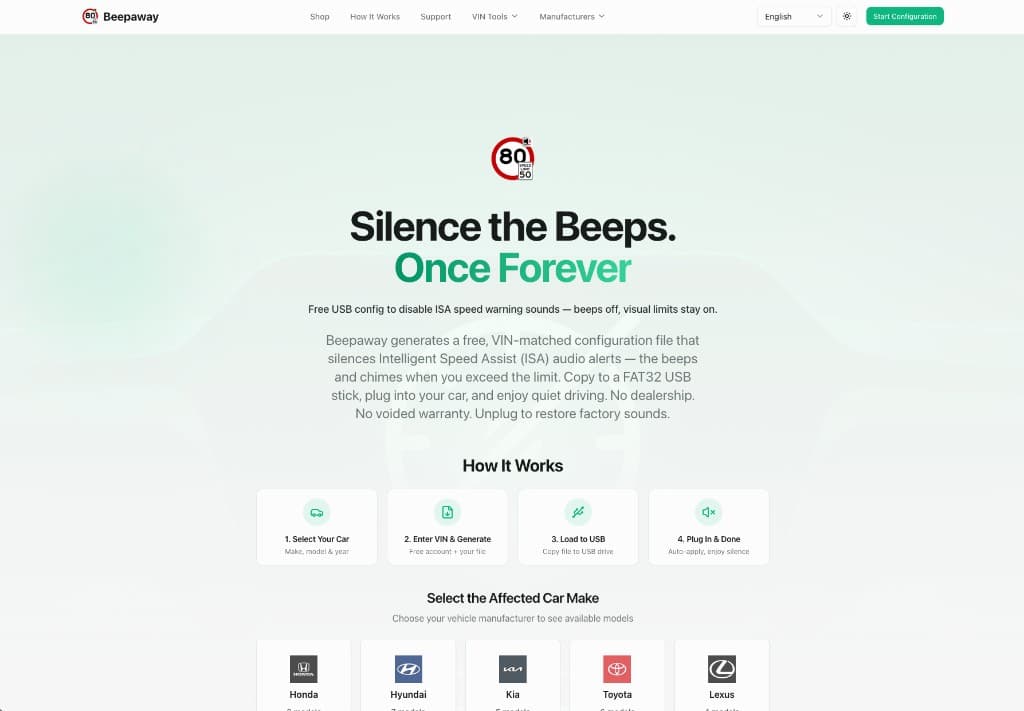
Wähle deine Automarke
Wähle Škoda aus dem Hersteller-Raster. Jede Marke mit ISA ist gleich aufgelistet – finde deine und klicke weiter.
Tipp: Wenn du von dieser Škoda Octavia-Seite kommst, ist deine Marke im Konfigurations-Assistenten möglicherweise schon vorausgewählt.
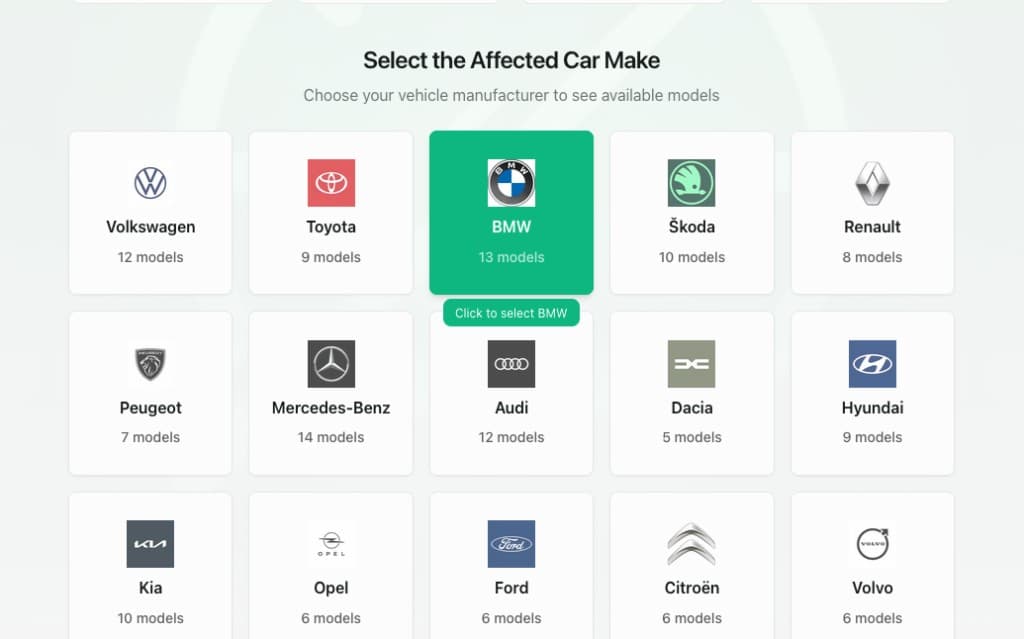
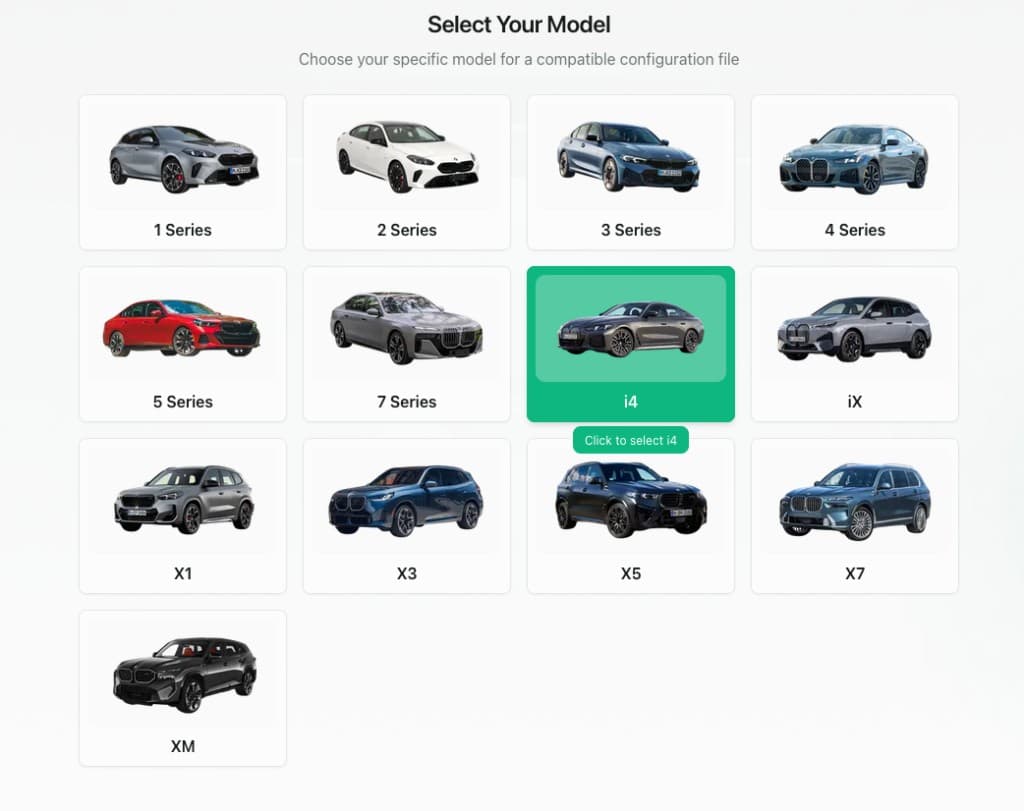
Wähle dein genaues Modell
Wähle Octavia aus den Modell-Karten. Die richtige Modellauswahl stellt sicher, dass Beepaway eine passende Konfiguration für deine Fahrzeugfamilie erstellt.
Tipp: Modellbilder sind repräsentativ. Deine genaue Ausstattung und dein Baujahr werden in den nächsten Schritten über deine VIN bestätigt.
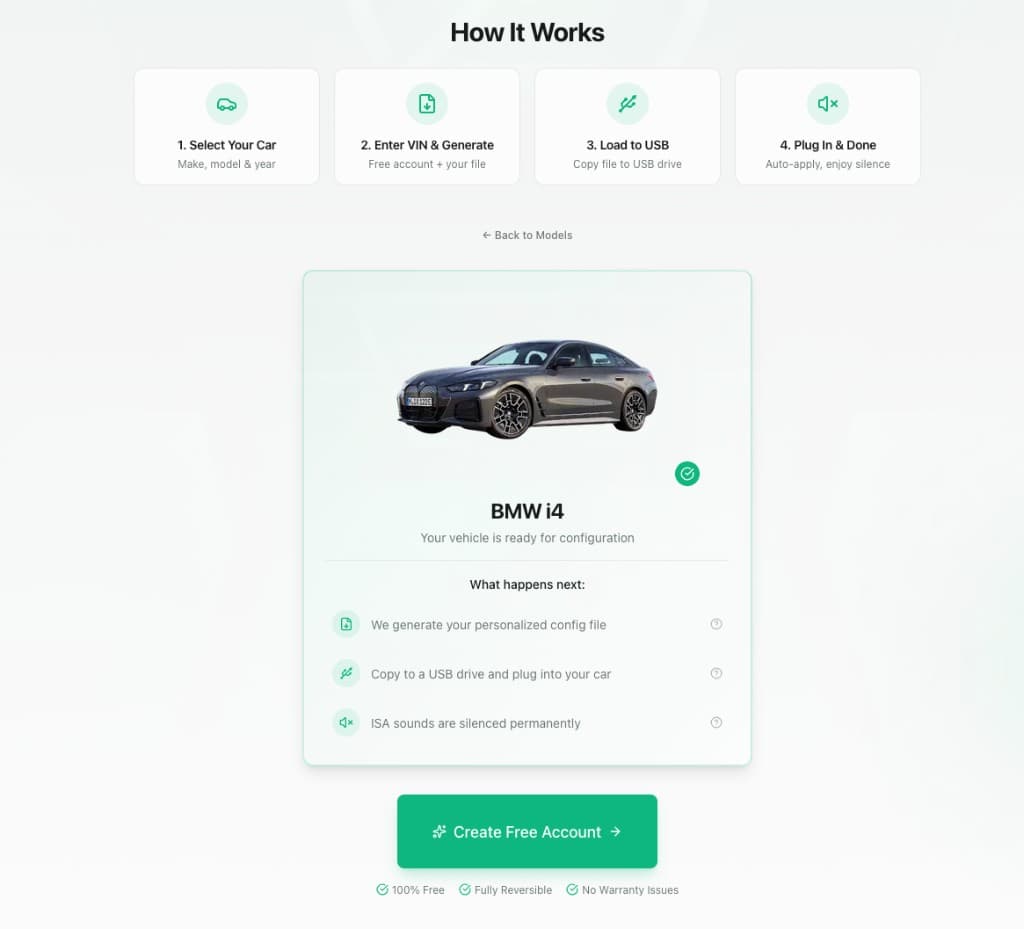
Bestätige die Kompatibilität
Beepaway zeigt eine Kompatibilitätsübersicht für deinen Škoda Octavia: Wir erstellen eine personalisierte Config-Datei, du kopierst sie auf USB, steckst sie ein, und ISA-Warntöne bleiben bei jeder Fahrt aus, solange der Stick eingesteckt ist.
Tipp: Die Lösung ist vollständig reversibel – zieh den USB-Stick ab und die Werkseinstellung kehrt sofort zurück.
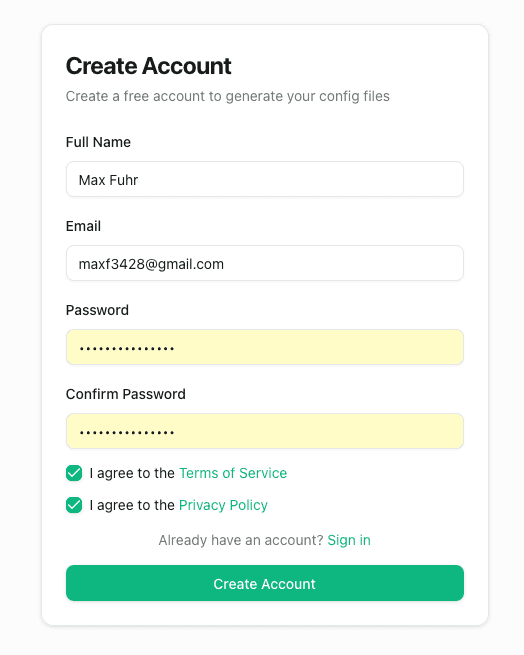
Erstelle dein kostenloses Konto
Registriere dich mit Name, E-Mail und Passwort. Akzeptiere die Nutzungsbedingungen und Datenschutzerklärung, dann klicke auf Konto erstellen. Keine Kreditkarte nötig.
Tipp: Bereits registriert? Melde dich an – dein Fortschritt geht direkt in den Konfigurations-Assistenten über.
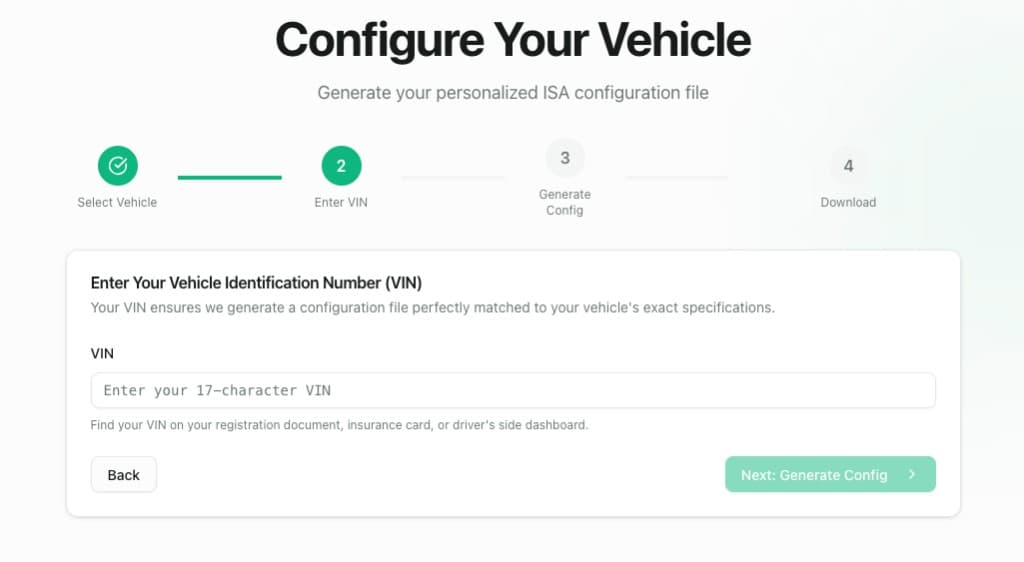
Gib deine 17-stellige VIN ein
Trage die VIN von deinem Fahrzeugschein, deiner Versicherungskarte oder der Windschutzscheibe ein. Deine VIN sagt Beepaway das genaue Softwareprofil deines Škoda Octavia, damit die Config-Datei perfekt passt.
Tipp: Die VIN findest du an der Fahrerseite der Windschutzscheibe (von außen sichtbar) oder auf deinem Fahrzeugschein.
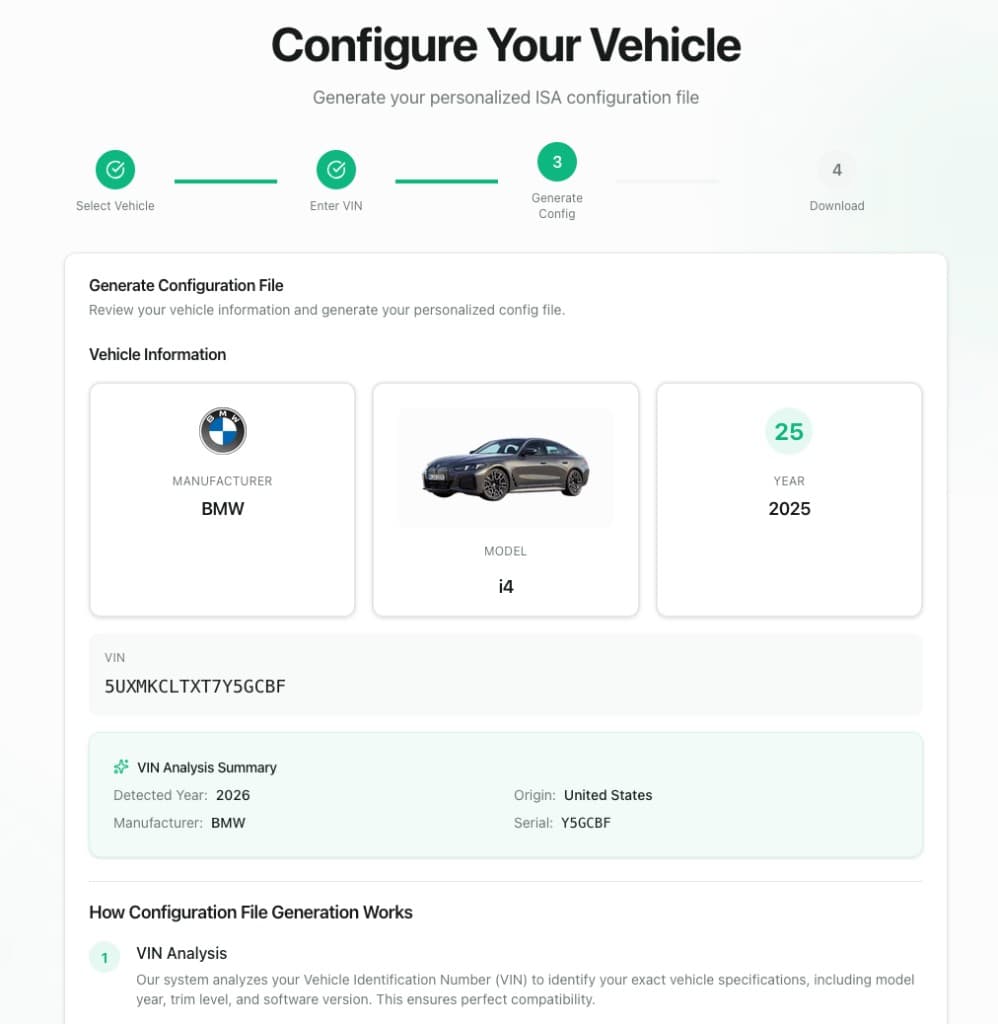
Prüfe deine Fahrzeugdaten
Kontrolliere Hersteller, Modell, Baujahr und VIN. Das VIN-Analyse-Feld zeigt erkanntes Jahr, Herkunft und Seriennummer – so bestätigst du, dass Beepaway deinen Škoda Octavia korrekt erkannt hat.
Tipp: Wenn etwas nicht stimmt, geh zurück und korrigiere es vor der Generierung – die Datei wird speziell für diese VIN erstellt.
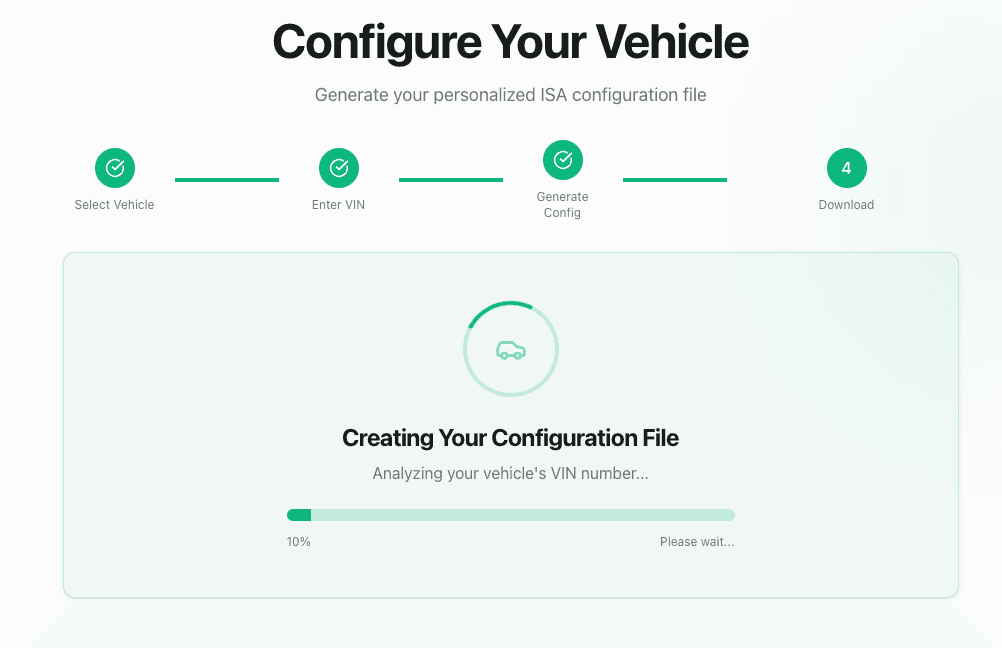
Warte, bis deine Config erstellt wird
Beepaway analysiert deine VIN und erstellt deine personalisierte ISA-Konfigurationsdatei. Das dauert meist weniger als eine Minute – lass die Seite geöffnet, bis der Fortschrittsbalken fertig ist.
Tipp: Nicht während der Generierung aktualisieren. Du wirst zu Meine Configs weitergeleitet, sobald die Datei fertig ist.
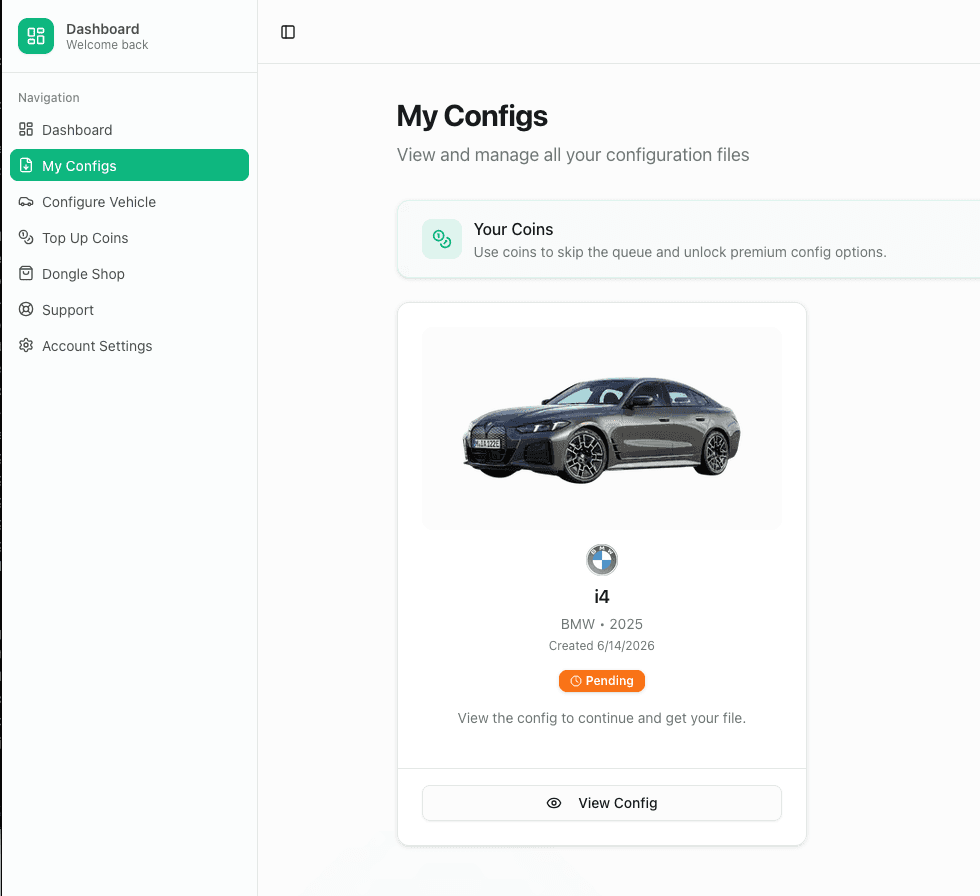
Öffne deine Config unter Meine Configs
Deine Škoda Octavia-Konfiguration erscheint unter Meine Configs. Solange der Status Ausstehend ist, klicke auf Config ansehen, um die Detailseite zu öffnen, auf der deine Downloads erscheinen.
Tipp: Meine Configs speichert jede erstellte Config – du kannst .bin-Datei und Anleitung jederzeit erneut herunterladen.
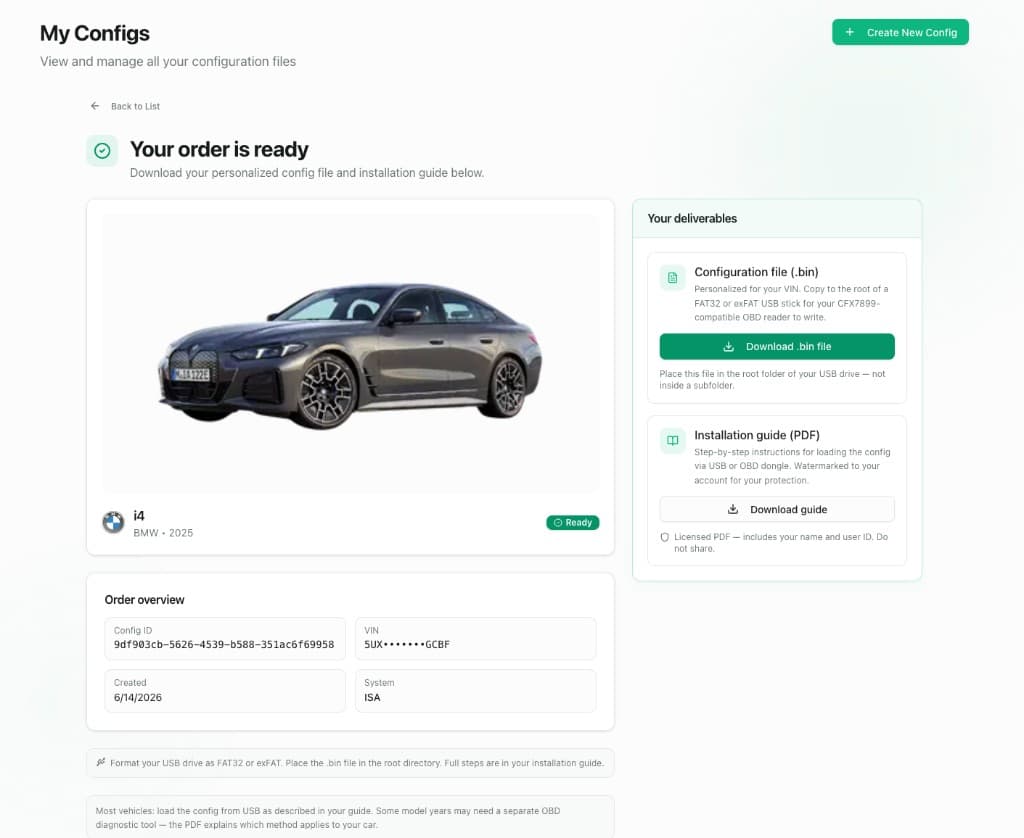
Lade .bin-Datei und Anleitung herunter
Wenn der Status Bereit lautet, lade die für deine VIN personalisierte Konfigurationsdatei (.bin) und die personalisierte Installationsanleitung (PDF) herunter. Bewahre beides auf – das PDF erklärt modellspezifische USB-Port- oder OBD-Schritte für deinen Škoda Octavia.
Tipp: Lege die .bin-Datei im Stammverzeichnis deines USB-Sticks ab – nicht in einem Unterordner.
Teil 2 — Datei laden und einstecken
Bereite einen FAT32-USB-Stick vor, kopiere deine Config ins Stammverzeichnis und steck ihn in deinen Škoda Octavia, um ISA-Pieptöne bei jeder Fahrt stummzuschalten.
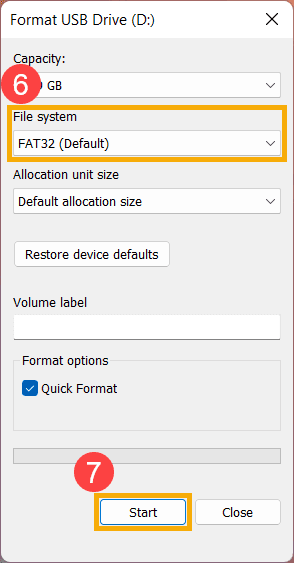
Formatiere den USB-Stick als FAT32
Steck einen USB-Stick (1 GB oder größer) in deinen Computer. Formatiere ihn als FAT32 (oder exFAT, falls deine Škoda Octavia-Anleitung das vorsieht). Nutze Schnellformatierung und stell sicher, dass der Stick leer ist.
Tipp: Die meisten Fahrzeuge benötigen FAT32. Bei großen Sticks hilft oft ein kleinerer 8–32 GB Stick.
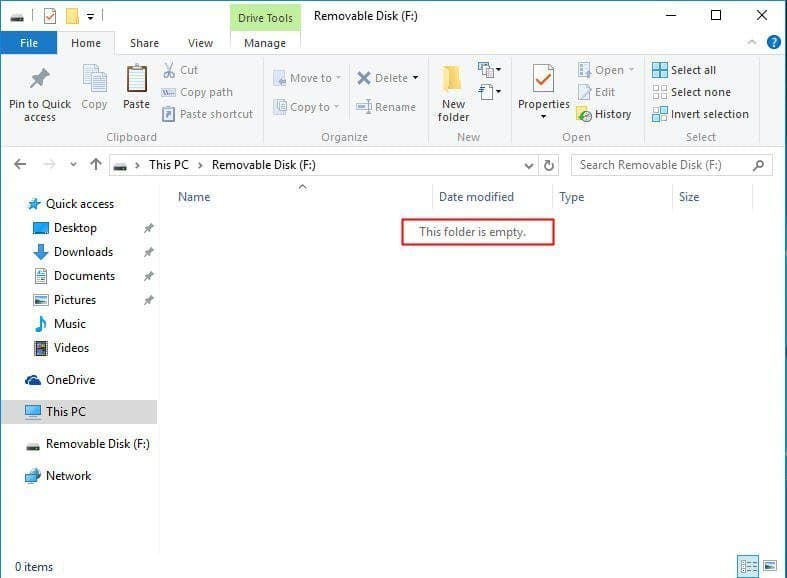
Kopiere die .bin-Datei ins Stammverzeichnis
Ziehe deine heruntergeladene Konfigurationsdatei auf den leeren USB-Stick, sodass sie direkt im obersten Ordner liegt – nicht in Musik, Dokumente oder einem anderen Unterordner.
Tipp: Für USB-Laden reicht nur die .bin-Datei auf dem Stick. Das PDF kannst du auf dem Handy oder Laptop aufbewahren.
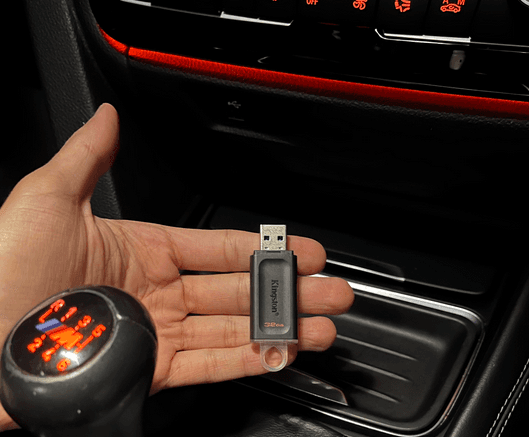
Nimm den USB-Stick zu deinem Škoda Octavia
Wirf den Stick sicher aus und bring ihn ins Auto. Die meisten Škoda Octavia haben einen USB-Port in der Mittelkonsole oder im Handschuhfach – deine Installationsanleitung zeigt die genaue Position für deine Ausstattung.
Tipp: Jeder normale USB-A-Stick funktioniert. Nutze einen flachen Stick, wenn wenig Platz um den Port ist.
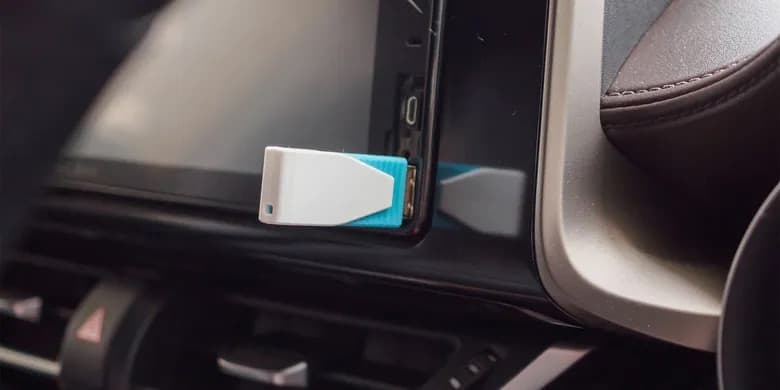
Einstecken und ruhig fahren
Steck den USB in den Datenport deines Škoda Octavia. Das Fahrzeug erkennt und lädt die Konfiguration automatisch – keine Menüs, keine Eingaben, kein Händlerbesuch. ISA-Warntöne bleiben aus, solange der Stick drin ist; visuelle Tempolimits bleiben auf dem Display.
Tipp: Teste auf einer kurzen Fahrt über dem Limit – du solltest visuelle Warnungen sehen, aber keine ISA-Töne hören. Zieh den USB ab, um Werkston wiederherzustellen.
Andere Škoda Modelle
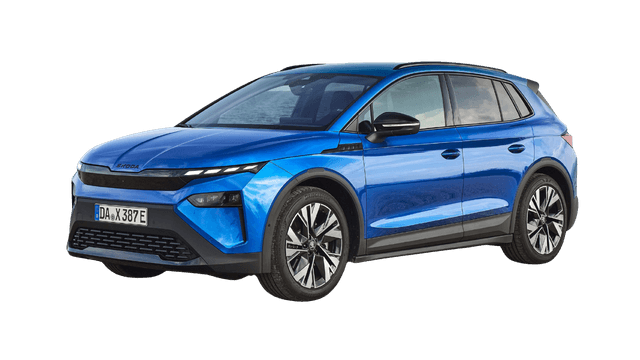
Travel Assist / ISA
Konfiguration starten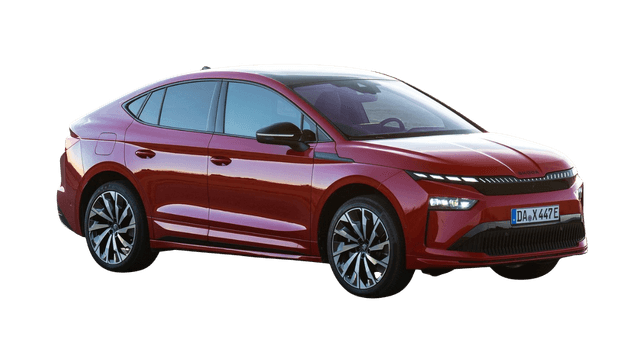
Travel Assist / ISA
Konfiguration starten
Travel Assist / ISA
Konfiguration startenAlternative Lösungen
Manche Škoda Octavia-Besitzer haben berichtet, dass eine manuelle Deaktivierung möglich ist mit Schwierigkeitsgrad: Moderate. Das erfordert normalerweise, dass du dich durch die Auto-Einstellungsmenüs klickst.
Wichtiger Hinweis
Manuelle Deaktivierungsmethoden können nach Neustarts zurückgesetzt werden, brauchen technisches Wissen und funktionieren vielleicht nicht bei allen Modelljahren. Unsere USB-Konfigurationsdatei-Lösung bietet eine dauerhafte, VIN-spezifische Lösung, die bei jedem Fahren funktioniert.
Schließ dich Tausenden von Škoda Octavia-Besitzern an, die die nervigen ISA-Geräusche dauerhaft ausgeschaltet haben. Hol dir heute deine kostenlose, VIN-spezifische Konfigurationsdatei.